Browse and edit policy with its object context.
Work with Check Point rules and the network, service, application, content, and other objects behind them.
Self-hosted Check Point governance
Let teams browse and edit Check Point rules within the access you define. Your firewall administrators keep approval and policy-install control.
See how it works
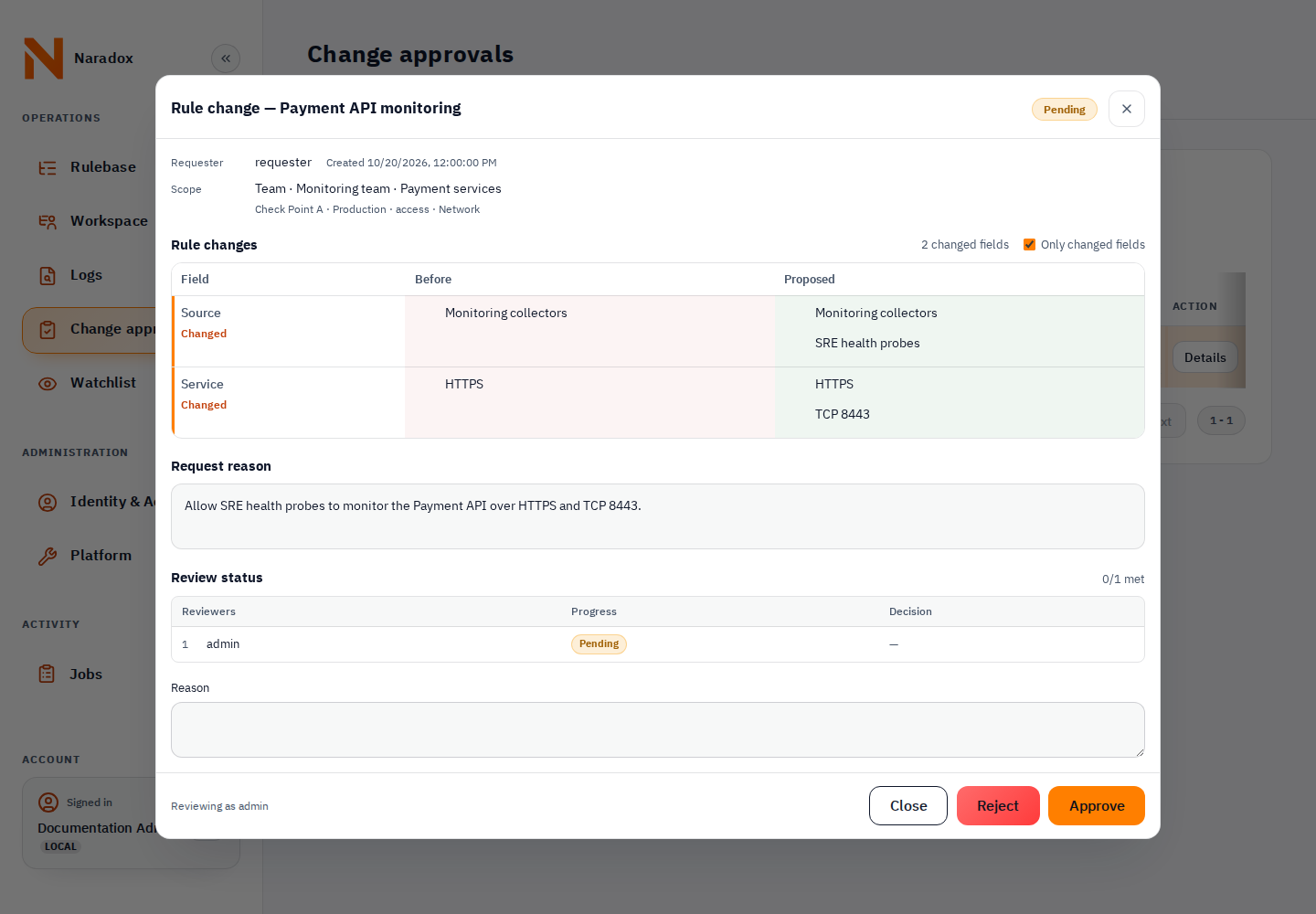
Follow an example with Approval enabled and policy installation reserved for the firewall administrator.
Illustrated workflow · fictional data · no live firewall connection
Step 1 of 4
The Monitoring team can edit services on this rule. Source, destination, and the rule action stay outside its edit permission.
Example rule: Payment API monitoring · Production / Network
Reason: allow the monitoring probes to reach the alternate TLS port.
Beyond approvals
Browse and edit day-to-day policy, follow how it changed, and define precisely who may see, change, or monitor each part.
Work with Check Point rules and the network, service, application, content, and other objects behind them.
Limit teams to configured instances, packages, layers, rules, fields, and log access. Choose which existing objects a grant may use and who may create, edit, or delete supported object types.
Compare saved rulebase versions, investigate changes published through Naradox, SmartConsole, or another API client, and propose an earlier field value through the normal editor.
Track URLs, applications, and IP addresses through Check Point logs, view their usage, and open the matching logs.
Runs in your environment
The customer portal provides downloads, licenses, and support.
Naradox keeps working without a continuous connection to the customer portal.
Download a license file or copy a license code from the portal, then import it into Naradox.
Use the portal release record for bundles, checksums, release notes, and published signatures or SBOMs.
Plan your rollout
Explore the features, deployment requirements, and pricing.